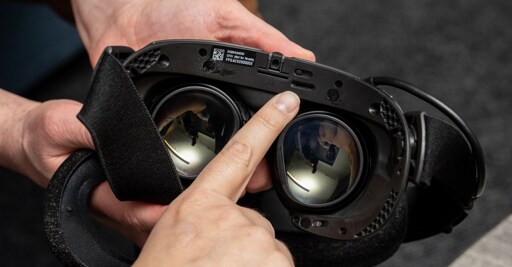
It’s so nice that SOMEONE is trying to make good use of great technology and isn’t actively trying to engineer microSD cards out of existence.
This gives me tremendous hope for more x86 game emulation on Android devices, because Valve have been throwing resources behind the development of FEX for emulation on ARM for the Frame.
I am absolutely convinced that my existing phone and retro gaming handheld have enough horsepower for 3D games from 6 years ago once this compatibility layers are built out a bit.
It’s such an obvious and simple thing but it really feels revolutionary and high-tech.
I’m not surprised it works that way on between steam deck and steam deck and the architecture is identical in terms of what steam needs
You can do that on any computer…
My laptop doesn’t have an SD slot. Are they common?
You could use a usb sd card reader but it’s more a comment on how this is a nothing burger.
I don’t see the use case for myself. It’s too easy to install it through Wifi onto local memory and unlike a cartridge, you can have it installed in as many devices as you share your account. I also would have little overlap between the games I’d run for each platform. I’d trade it for another built-in USB-C port in a heartbeat.
This is pretty useful for people with bad internet (or data-capped, because that exists for some reason), especially with some games taking up 100+ gb
what does internet have to do with local transfers from PC to PC over wifi?
wifi does not mean internet, and you can easily share games from PC to PC over wifi or ethernet via steam.
Instead of redownloading the game twice on a steam deck and steam machine (or steam frame) you could just take the same micro SD card out and insert it into the other device and play from there
Edit: You could also copy a game’s install files over to the SD card and move them directly if you really don’t want to run the game directly off the SD card
what? or just transfer from PC to PC via wifi through steam negating any SD card…
https://help.steampowered.com/en/faqs/view/46BD-6BA8-B012-CE43
use PC 1 that already has it downloaded and installed, and have pc2 download from PC 1… why worry about a 3rd hard drive or rehoming the SD card and potentially screwing the file structure up by potentially inserting Linux (steam deck) into what I can only assume would be a Windows based pc
Because if you are on a steam deck and just install it on the SD card to begin with I guarantee you it’s faster to pop out the SD card and insert it into the other device than it is to copy the files over a network, especially if one of those devices is a VR headset.
Besides, more options to do the same thing isn’t necessarily a bad thing. People can pick whichever they like best. If someone has games already installed on an SD card in their steam deck and want to quickly move them over to a steam machine or steam frame then this would be super convenient for them.
This is also specifically an article about the steam deck, steam frame, and steam machine so all of the devices would be using SteamOS and not Windows anyway. Not really sure why you’re bringing up Windows.
There will be like 2 decent games that are going to work with this. Out of anything, I couldn’t care about onboard processing, most all of the VR games worth playing need a 3070+ for any decent fidelity at 60fps.
Most games should work actually, there will be exceptions but in general the game data is all that’s stored on the SD card, your saves and config data are stored in your user folder.
Some games get this wrong and store data in the game data folder but that’s heavily discouraged. Some games also conflate save data and config data which is annoying when jumping from different devices but that’s it.